In the photo below you see an OTG adapter that works with my Samsung Galaxy Tab 2. One side plugs into the 40-pin charging connector on the bottom and the other end provides several USB functions such as thumb drive hosting and wired or wireless keyboard hosting and wired Ethernet adapter hosting and (separately-powered) USB hard drive hosting. I also show a wireless adapter for Logitech keyboards and mice. It’s that little thing the size of a dime. I got onto this OTG kick about 6 or 10 months ago, but I suspect that many of you have glossed over my comments because you didn’t see one or have one. Long ago you “learned” that USB didn’t work just because you had a connector. Well, in some cases this $10 adapter is all that is needed to get a lot more usefullness out of your phone or tablet. They need to be at least Android 3 and the manufacturer needs to have “turned on” the function. You’ll have pretty good luck with Samsung, Google, Apple devices and some others. Also, parenthetically, you could, if you’re the brave sort, install an alternate operating system for someone like Cyanogenmod and have access to more Android features on your device. In my case, it’s really handy to connect directly to my high grade camera (Canon 5D Mark 2) and be able to blog with a photo just taken or send such a photo by email with little fuss with the camera card reader (which also works). I hope this clears things up about what an OTG is. Honest, I’ve been talking about it for the better part of a year. To get one, Google your device name and “OTG” and see if Amazon sells one. The ones that adapt form a mini or micro USB to a regular USB (and are an OTG adapter) are the most common. All seem to work the same, so cheapest is probably just fine. You won’t know which features work until you try it, so you could be “out” the ten bucks. The manufacturers often don’t say 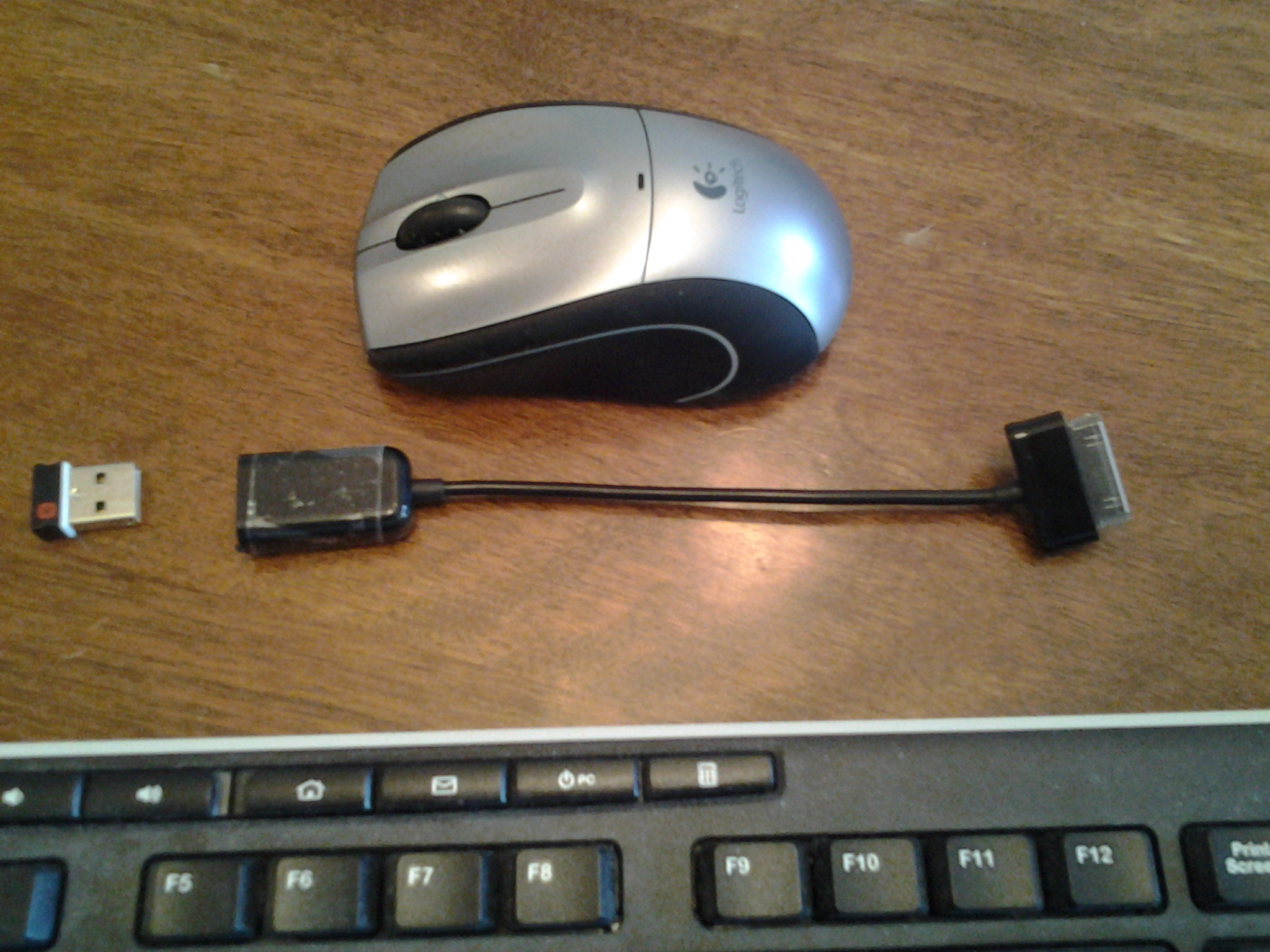 anything about it.
- Comment
- Reblog
-
Subscribe
Subscribed
Already have a WordPress.com account? Log in now.
 DEANLAVOIE.COM