This information comes from two sources. You can get a lot of old info if you just google it.
If you are on Comcast, you’ll have to log in to read the following Q&A page:
http://customer.comcast.com/help-and-support/cable-tv/external-dvr-storage-faqs
Has the statement:
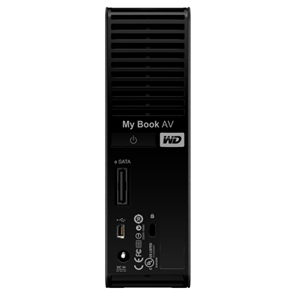
“Answers to frequently asked questions about your new My Book AV DVR Expander, Western Digital’s external hard drive that has been tested and approved to work with Comcast DVRs.”
On the Western Digital website search the list of compatible devices (by TV provider, Make, and model. (Comcast, Motorola, DCT3412i)
For added insurance check if the provider area (Portland) supports external DVR storage (I think Portland does).
Don’t get one bigger than 1 TB. Larger ones won’t work at all.
The gist of it is that it’s easy to add 240 hours of recording time. Once the drive is plugged in to the DVR, the DVR asks to reformat the new drive. You do that. The new drive is “married” to that particular DVR, now. You can only play the recordings on that physical DVR. You can’t move the recordings to another DVR and if you replace the DVR you have to reformat the drive to use it again. There is some sort of utility build into the DVR to disconnect and lose the recordings if you remove it, so keep the connections stable. Otherwise the same DVR display shows approx. 250 things recorded instead of around 25.
There are “better” ways to do it, I suspect, and (heaven knows!) more complicated or less legal ways to get massive storage, but this is so simple that just about anybody can do it.
As a comment, this has been a pain for some time because of the content-protection concerns. I think they came up with a decent compromise
.
Today, the $99 price on the WD site is as low as it gets and includes shipping. I “you gotta have it now”, go to Best Buy and be recording HALF PIPE events to your heart’s content tonight (Olympics). This same gadget has other purposes not mentioned here, like plugging it into an X-Box or TV or maybe a media box. But I’m talking DVRs today.
 DEANLAVOIE.COM
[…] Adding Storage Capacity to Your Comcast Dvr in the Portland Area […]